
Instantly make your payment using a variety of available facilities, such as bKash, MasterCard, Visa card, and other payment methods.


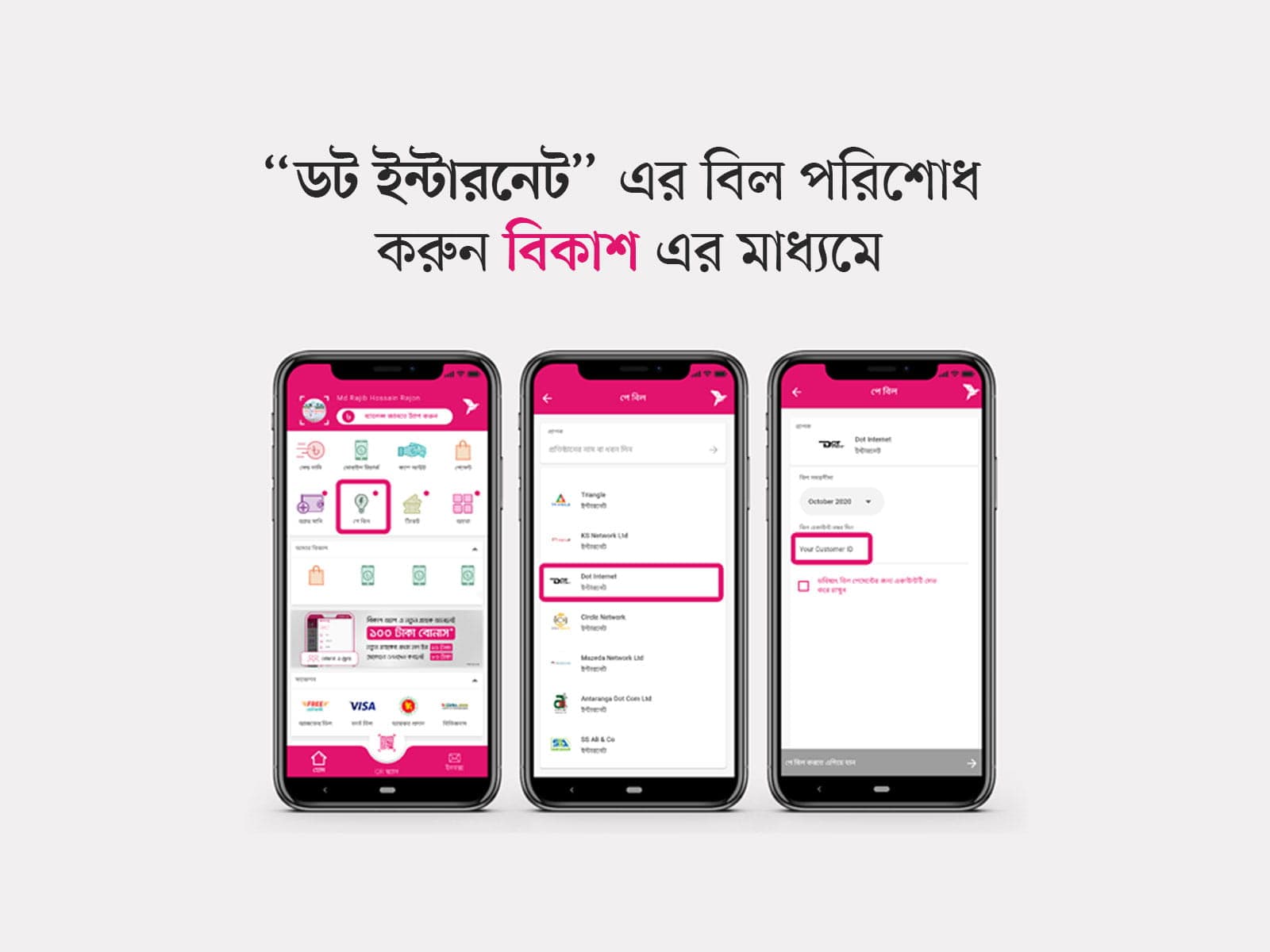
● Login to your bKash account with your account's PIN number and tap on "পে বিল" option.
● In "পে বিল" option you'll find "Dot Internet". Simply tap on it and follow the next step.
● Now select your internet billing timeline in "বিল সময়সীমা" box & input your customer in "বিল একাউন্ট নম্বর দিন" box.
● If you want to save the payment info for quick payment, you can simple tick the checkbox "ভবিষ্যৎ বিল পেমেন্টের জন্য একাউন্টটি সেভ করে রাখুন".
● After that, tap the "পে বিল করতে এগিয়ে যান" button & hold the pay button for a few second. You're done!
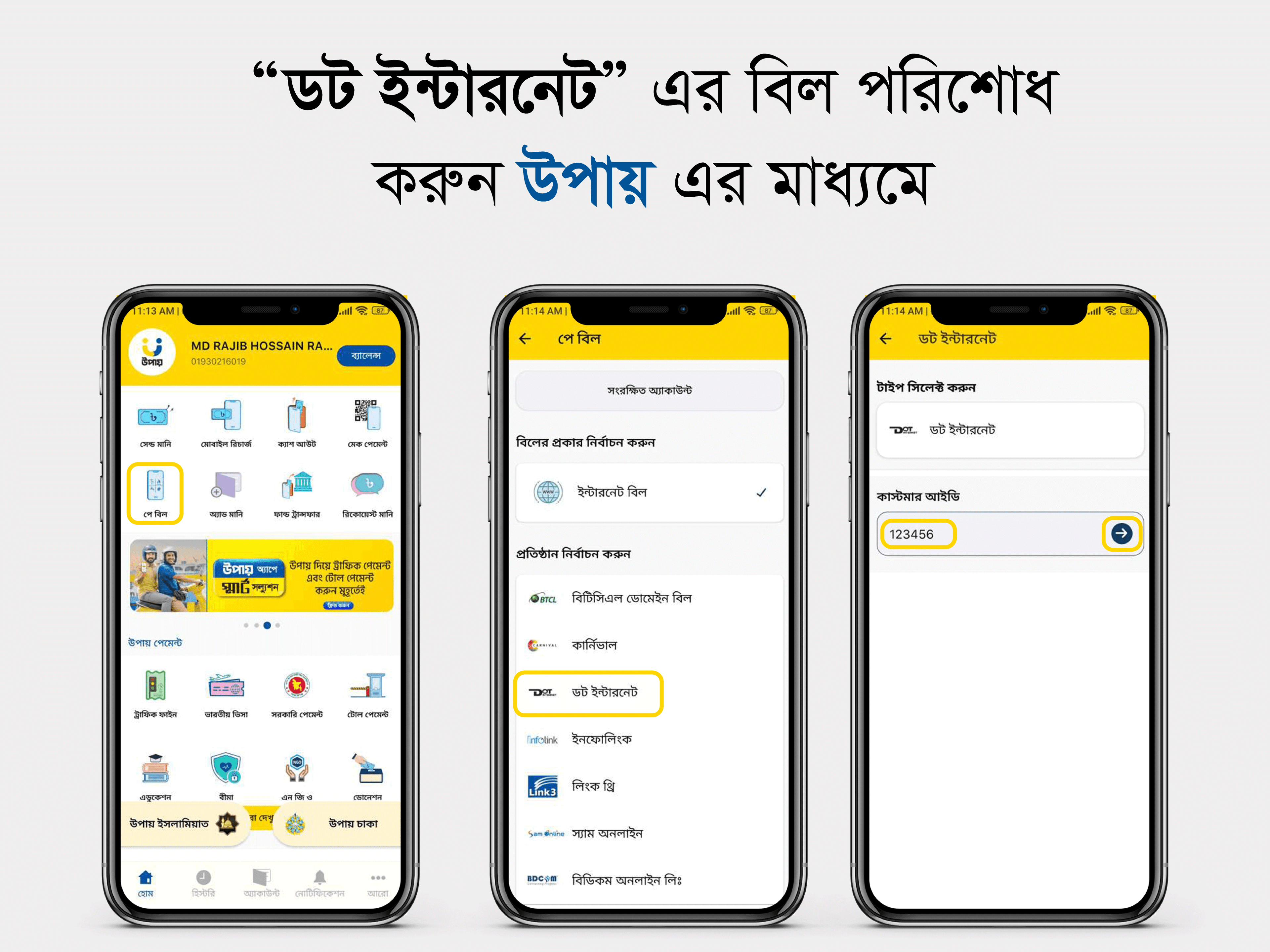
● Login to your Upay account with your account's PIN number and tap on "পে বিল" option.
● In "পে বিল" option you'll find "ইন্টারনেট". Tap on it.
● In "ইন্টারনেট" option you'll find "Dot Internet". Tap on it and follow the next step.
● Now enter your USER ID in "কাস্টমার আইডি" box.
● After that, tap the "বিল পরিশোধ করুন" button & proceeds the payment. You're done!
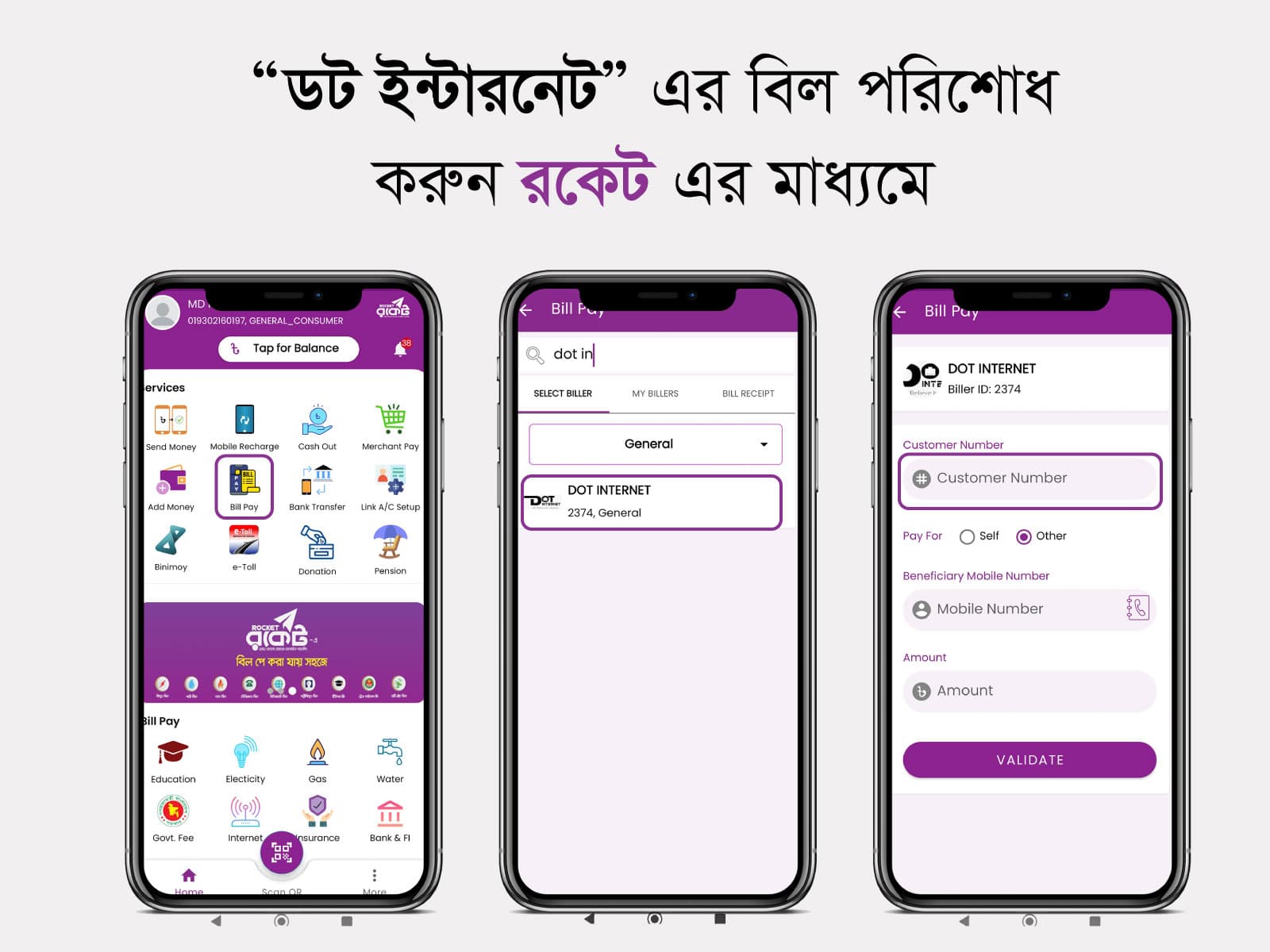
● Login to your Rocket account with your account's PIN number and tap on "Bill Pay" option.
● In "Bill Pay" option you'll find "Select Biller" tab. Tap on it.
● In "Select Biller" tab you'll find "Dot Internet". Tap on it and follow the next step.
● Now enter your "Customer Number, Mobile Number and the Amount". Also check the "Pay For" option.
● After that, tap the "Validate" button & proceeds the payment. You're done!
Pay with your Brac bank account
Account name: DOT INTERNET
Account no: 1502201168141001
Routing no: 060276074
Branch: SATMASJID ROAD

Pay with your One bank account
Account name: DOT INTERNET
Account no: 0391020004607
Routing no: 165260727
Branch: BANASREE BRANCH

Pay with your City bank account
Account name: DOT INTERNET
Account no: 1502387883001
Routing no: 225263527
Branch: New Market Branch